
AUTOM8-OBD: Remote ECU & TCU Tuning, Simplified
Upload tunes to the cloud. Your customers flash from anywhere. No shipping, no shop visits.
Upload tunes to the cloud. Your customers flash from anywhere. No shipping, no shop visits.
Upload tune files to the cloud, manage customers, and let them flash their vehicles remotely. No shipping, no shop visits.

Create your account and access the AUTOM8-OBD Dashboard to manage tune files, customers, and purchase AUTOM8-100 devices.

Sell AUTOM8-100 OBD-II devices to your customers for remote tune file delivery and flashing.

Customers pair their AUTOM8-100 via Bluetooth to the AUTOM8 Mobile App and link their vehicle.

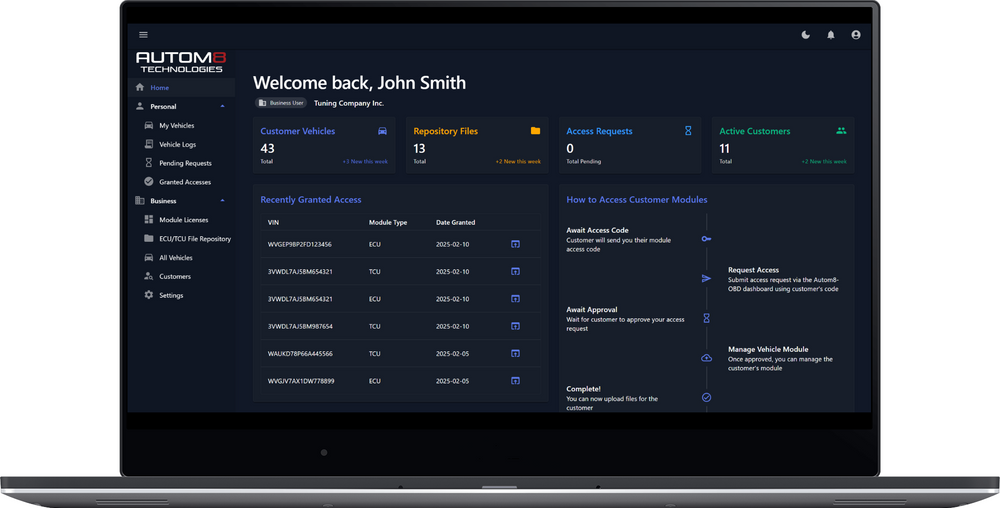
Request ECU/TCU module access from your customer. Once approved, their vehicle appears in your dashboard for tune uploads, DTCs, and logs.

Upload tune files, customer flashes via the mobile app. No shipping, no shop visits—remote tuning done right.
Everything you need to run a remote ECU & TCU tuning operation—whether you're the shop or the driver.
 Flash vehicles remotely from anywhere in the world
Cloud storage for all your tune files with version control
Read diagnostic trouble codes and log vehicle data
Send tune updates to all customers instantly
Track customers, vehicles, and tune history in one place
Flash vehicles remotely from anywhere in the world
Cloud storage for all your tune files with version control
Read diagnostic trouble codes and log vehicle data
Send tune updates to all customers instantly
Track customers, vehicles, and tune history in one place
 Connect up to 3 vehicles to your account
Connect with any tuner currently using our platform
Monitor vehicle data and performance in real-time
Easy-to-use mobile app for receiving and flashing tunes
Encrypted file transfer between dashboard and vehicles
Connect up to 3 vehicles to your account
Connect with any tuner currently using our platform
Monitor vehicle data and performance in real-time
Easy-to-use mobile app for receiving and flashing tunes
Encrypted file transfer between dashboard and vehicles
 Upload custom tune files for your vehicles
Access our ever-growing flash protocol vehicle support list
Fast flashing patches to lower write times and allow for quick revisions
Log your vehicles and view data in our Log Viewer
Upload custom tune files for your vehicles
Access our ever-growing flash protocol vehicle support list
Fast flashing patches to lower write times and allow for quick revisions
Log your vehicles and view data in our Log Viewer
Manage tune files, customers, and vehicles from one place. Track flash history, push updates, and monitor diagnostics.

View vehicles, ECU/TCU modules, flash history, tune files, and DTC scans—all in one place.

Request ECU/TCU module access in a few clicks. Track connections and manage linked vehicles easily.

Version control for tune files. Push updates to all customers at once, or deliver individual tunes instantly.

Secure cloud storage with granular access control. Grant or revoke file access anytime.
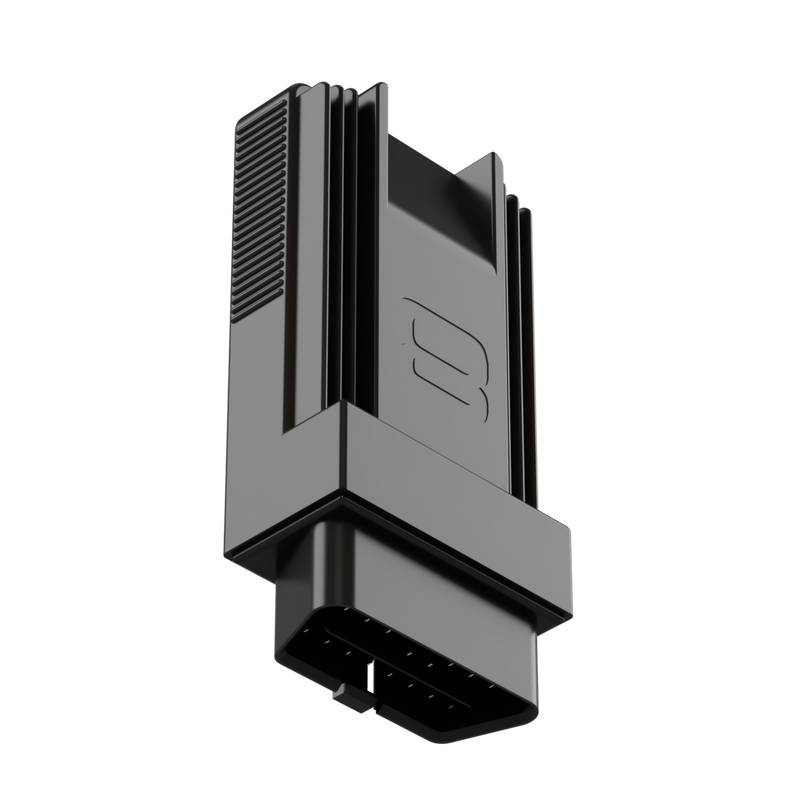
Plug into the OBD-II port, connect via Bluetooth, flash tune files remotely. That simple.
Download tunes, flash your vehicle, read DTCs, and log data—all from your phone.


